MDS provides a real-time view of screen health. Click on “Screens” in the top menu and view the “Last Check-in” column in the listing table. The system displays the last check-in time, which indicates when the screen last reported its health status, along with a health indicator icon.
Green: Screen is online and up to date.
Yellow: Screen is online and updating content.
Red: Screen is not connected to the internet but continues to play the last downloaded content. This may also indicate that the screen is powered off.
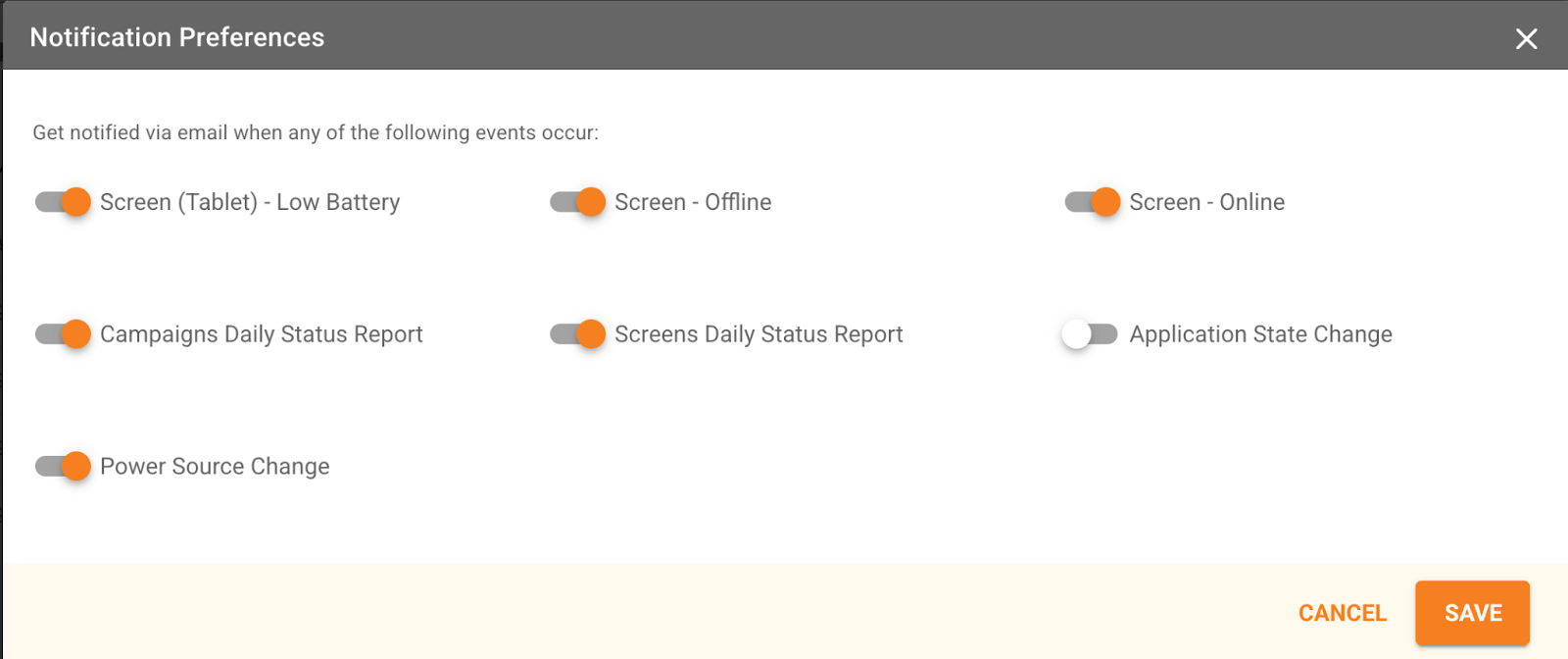
You can also subscribe to receive alerts by email. Click on your initials in the top-right corner → click on “Notification Preferences” → select your preferences and save. Please note that “Application State Change” and “Power Source Change” notifications only apply to small-format (tablet) screens.
Was this article helpful?
That’s Great!
Thank you for your feedback
Sorry! We couldn't be helpful
Thank you for your feedback
Feedback sent
We appreciate your effort and will try to fix the article